

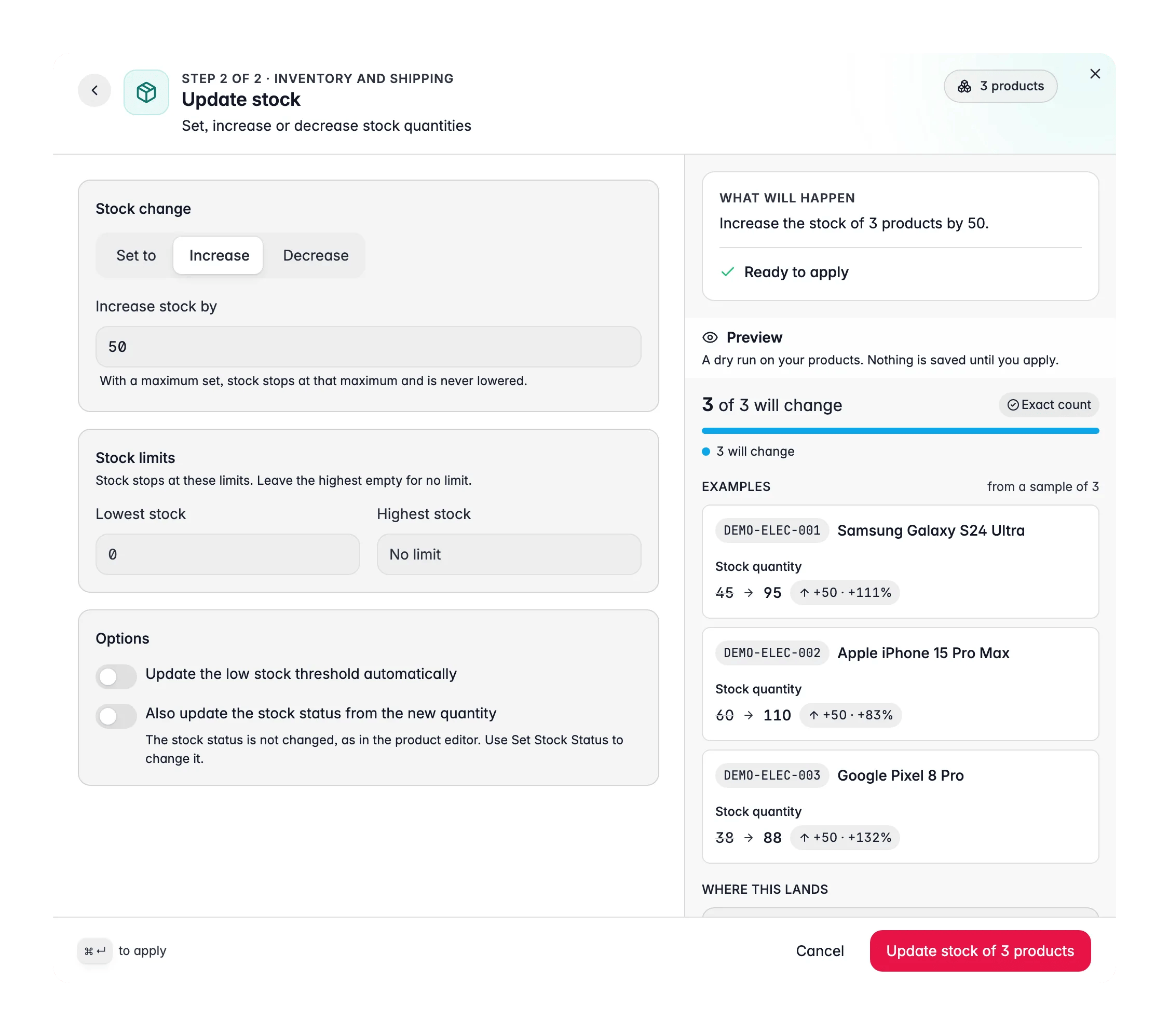
This action changes the stock quantity (the number). To mark products as in stock or out of stock without touching the number, use Set Stock Status.
Update the stock
1
Select products
Check the products you want to update. Or use filters and select all matching results.
2
Open Bulk Edit and choose Update Stock
Click Edit on the selection bar, then pick Update stock under Inventory and shipping. You can also search for it.
3
Choose the operation
Pick Set, Increase, or Decrease.
4
Enter the quantity and limits
Set the value and, if you want, add minimum and maximum stock limits.
5
Preview and apply
Check What will happen, then apply.
Operations
Options
Which values are refused
- Stock is a whole number. A fractional quantity is refused.
- A result below zero is refused, unless the product allows backorders.
- With a Maximum stock level, an increase stops at the maximum.
Related
Set Stock Status
Mark products as in stock, out of stock, or on backorder.
Update Weight
Set product weights for accurate shipping calculations.
Numeric Operations
Add, subtract, multiply, or divide any numeric attribute.
Bulk Editing
Browse every bulk editing action by category.