

Set the primary category
1
Select products
Check the products you want to update, or use filters and select all matching results.
2
Open Bulk Edit and choose Set Primary Category
Click Bulk Editing, then search for “Set Primary Category” or find it under Categories & Organization.
3
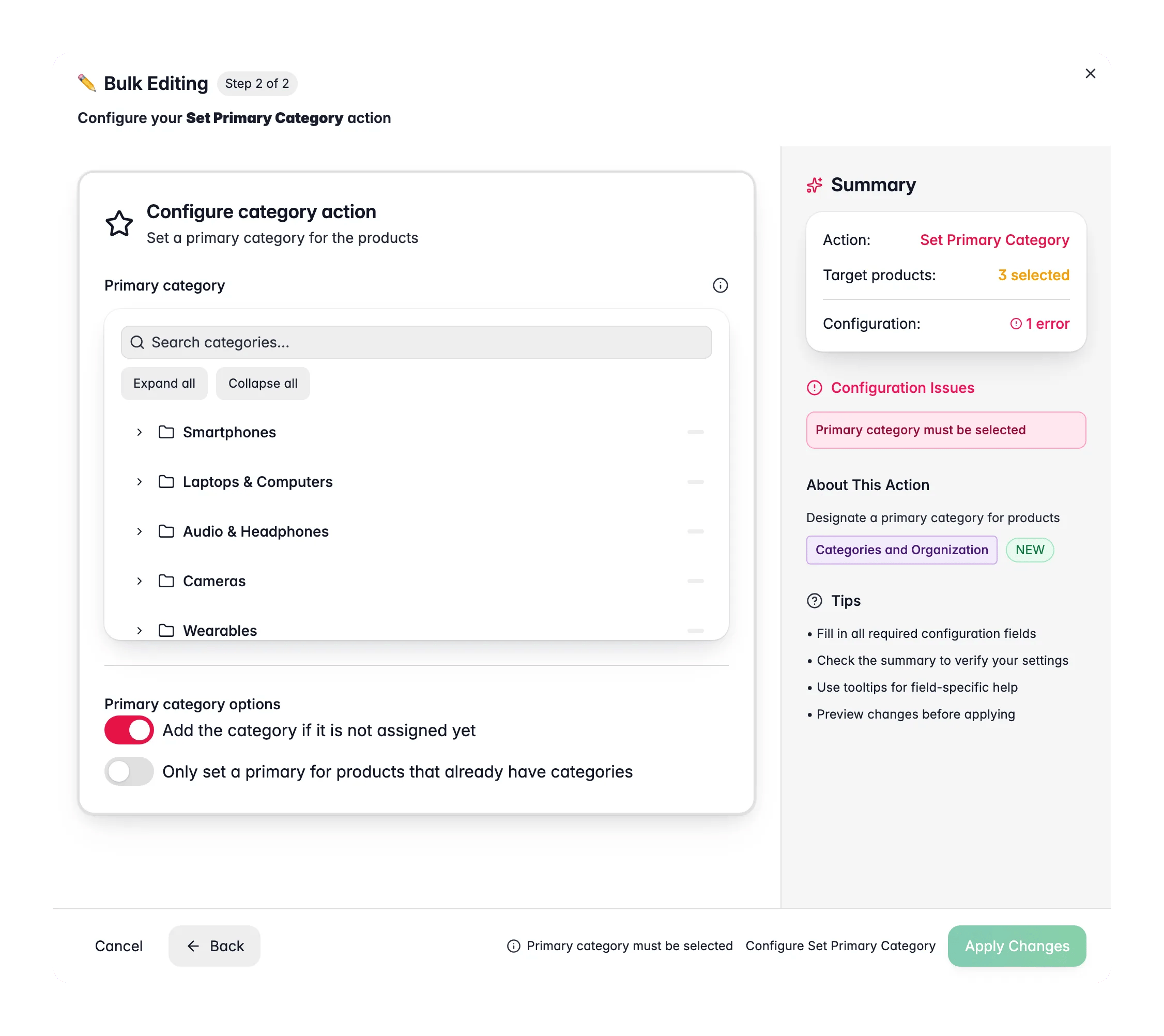
Pick the category
Choose one category to set as the primary for all selected products.
4
Set options and apply
Decide whether to add the category to products that are not in it yet, then click Apply.
Options
Tips
- Leave Add category if not already assigned on so every selected product ends up with the primary category, even if it was not in it before.
- The primary category drives breadcrumbs and canonical URLs on most platforms, so getting it right helps your SEO.
- Filter by category first, then set the primary. That way you only touch products already in the right category tree.
Related
Assign to Categories
Add products to one or more categories.
Replace All Categories
Swap a product’s categories for a new set.