> ## Documentation Index
> Fetch the complete documentation index at: https://docs.wisepim.com/llms.txt
> Use this file to discover all available pages before exploring further.
# Settings Overview
> Find every WISEPIM setting in one place. Manage your personal account preferences and configure how each project handles import, export, quality, and more.
Settings is where you control two things: your personal account and each project's behavior. Personal settings follow you everywhere. Project settings apply only to the project you have open.
## Open Settings
It sits in the top-right corner of the screen.
This opens the Settings hub with all available options.
You can also jump to Settings from the **command menu**. Open it with the search icon in the header or its keyboard shortcut, then type "settings".
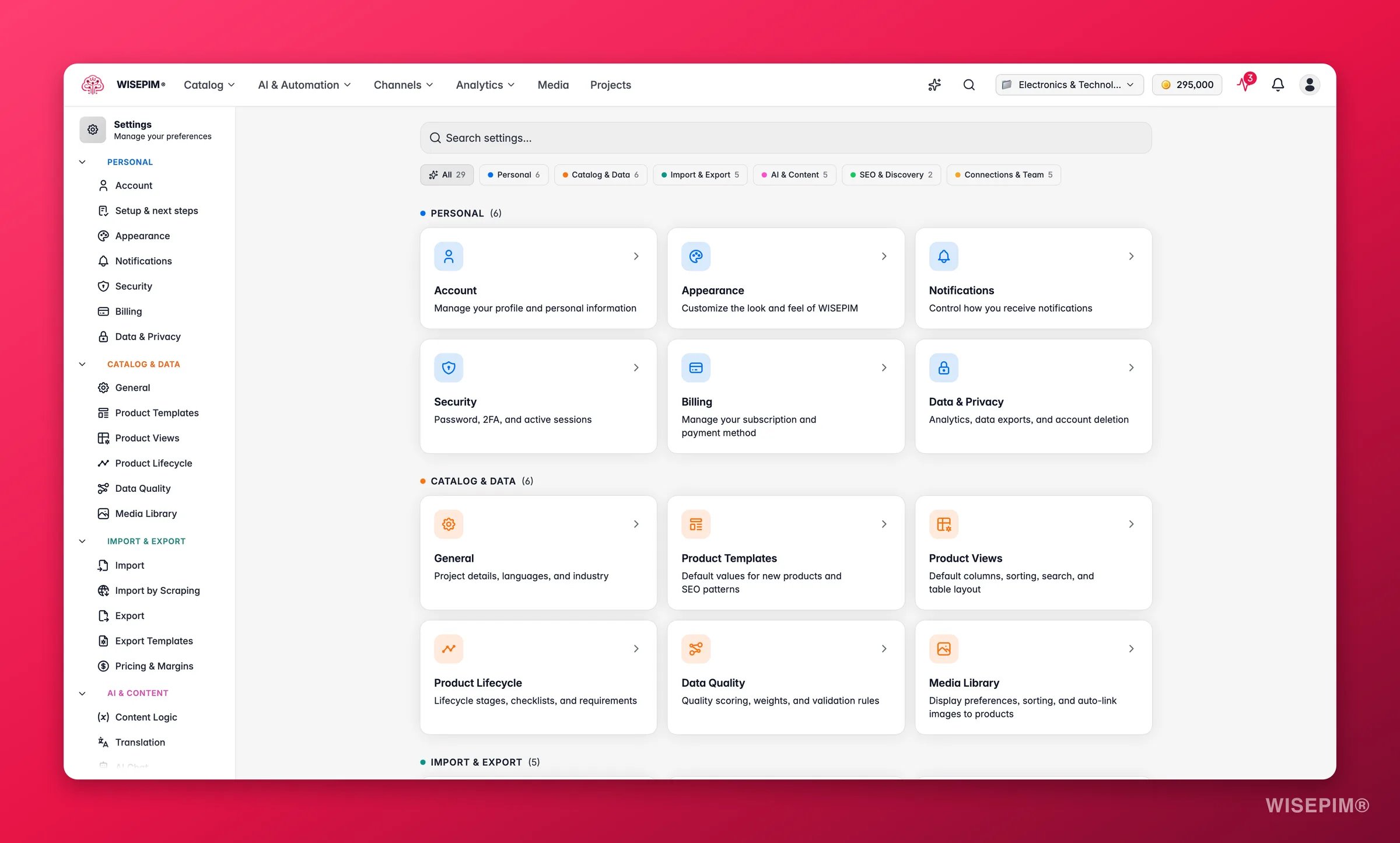
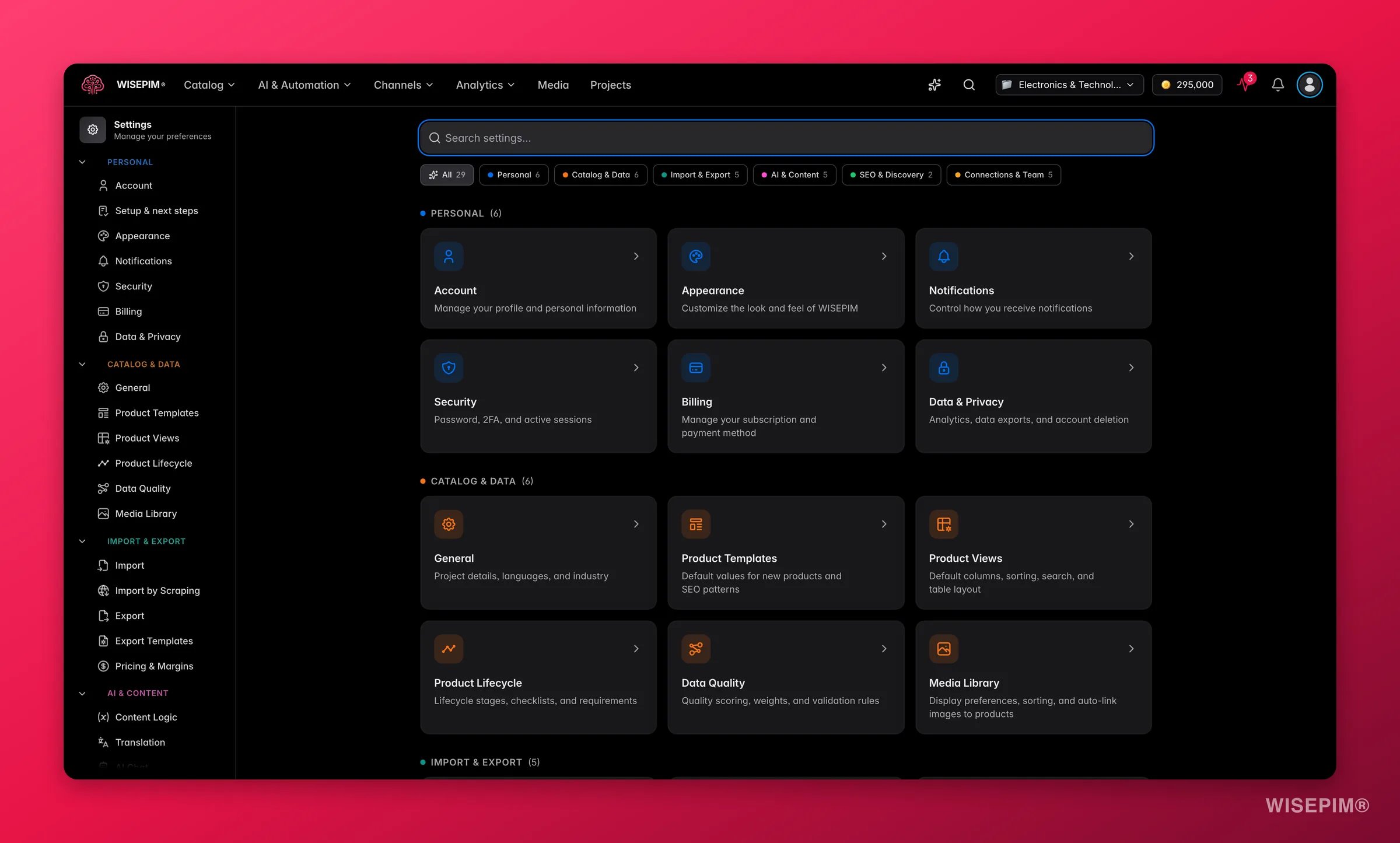 The hub has a **search box** and **category filters** at the top. Start typing to jump straight to a setting, or filter by Personal, Catalog & Data, Import & Export, AI & Content, SEO & Discovery, or Connections & Team.
Moved the settings items around and want the old layout back? You can reset the settings navigation to its default order at any time.
## Personal settings
These apply to your own account. They stay the same across every project you work on.
| Setting | What it controls |
| ------------------------------------------- | -------------------------------------------------------- |
| [Account](/en/settings/account) | Your name, email address, and profile information |
| [Appearance](/en/settings/appearance) | Theme, font size, and interface preferences |
| [Notifications](/en/settings/notifications) | Email, browser, and sound notifications |
| [Security](/en/settings/security) | Password, two-factor authentication, and active sessions |
| [Billing](/en/settings/billing) | Subscription plan, billing period, and payment method |
| [Data & Privacy](/en/settings/data-privacy) | Analytics opt-in, data export, and account deletion |
## Project settings
These appear only when a project is selected. They control how that one project behaves.
| Setting | What it controls |
| ---------------------------------------------------------------------------------------------- | --------------------------------------------------------------------------------------------------- |
| [General](/en/settings/general) | Project name, description, industry, languages, and SEO keywords |
| [Import](/en/settings/import) | Import filters, conflict resolution, empty field handling, and validation |
| [Import by Scraping](/en/essentials/web-scraping-import#enrich-scraped-products-automatically) | What happens to products the URL scraper and the browser extension bring in |
| [Export](/en/settings/export) | Default export format, encoding, and quality validation |
| [Export Templates](/en/settings/export-templates) | Reusable field/column blueprints that decide exactly what each channel receives |
| [Pricing & Margins](/en/settings/pricing) | Markups, margins, and safeguards applied to prices at export time, per channel |
| [Product Templates](/en/settings/templates) | Default values for new products: status, pricing, inventory, shipping, and SEO patterns |
| [Product Views](/en/settings/product-views) | Default table layout, visible columns, sorting, search, and filters |
| [Media Library](/en/settings/media) | Display preferences, upload behavior, and auto-linking images to products |
| [Data Quality](/en/settings/data-quality) | Quality score across completeness, channels, SEO, and conversion |
| [Content Logic](/en/workflows/content-logic) | Reusable variables, formulas, and conditional content blocks |
| [Translation](/en/settings/translation) | Tone, per-field rules, language overrides, and a do-not-translate dictionary |
| [Web Research](/en/ai/web-research#settings-for-web-research) | What research looks for, which sources it trusts, which fields it fills, and how it suggests prices |
| [AI Chat](/en/settings/ai-chat) | Personality, response style, and tool access for the AI copilot |
| [Enrich Prompts](/en/settings/enrich-defaults) | The default prompt preselected per enrichment type and used by Auto-Fill |
| [SEO & Sitemap](/en/settings/seo) | Base URLs, slug structures, topic clusters, and external sitemaps |
| [Keywords](/en/settings/keywords) | SEO keywords WISEPIM weaves into AI-generated content, with bulk tools |
| [Integrations](/en/settings/integrations) | Connected platforms, auto-sync, and webhooks |
| [API Access](/en/settings/api) | Programmatic access to your catalog through the REST API |
| [Workflows](/en/settings/workflow-settings) | Guided pipelines that move products through lifecycle stages |
| [Product Lifecycle](/en/workflows/product-lifecycle) | The stages, checklists, and requirements products move through |
| [WISECHAT Widget](/en/settings/wise-chat) | Your storefront AI shopping assistant: brand, behavior, and install |
| [Team & Permissions](/en/teams/team-management) | Team members, roles, and invitations |
Project settings are tied to the project you have open. Switch projects and you will see a different set of values.
## Related
Update your name, email, and profile details.
Set the default table layout for your whole team.
Tune how WISEPIM scores the quality of your products.
Jump to any setting or page in a couple of keystrokes.
The hub has a **search box** and **category filters** at the top. Start typing to jump straight to a setting, or filter by Personal, Catalog & Data, Import & Export, AI & Content, SEO & Discovery, or Connections & Team.
Moved the settings items around and want the old layout back? You can reset the settings navigation to its default order at any time.
## Personal settings
These apply to your own account. They stay the same across every project you work on.
| Setting | What it controls |
| ------------------------------------------- | -------------------------------------------------------- |
| [Account](/en/settings/account) | Your name, email address, and profile information |
| [Appearance](/en/settings/appearance) | Theme, font size, and interface preferences |
| [Notifications](/en/settings/notifications) | Email, browser, and sound notifications |
| [Security](/en/settings/security) | Password, two-factor authentication, and active sessions |
| [Billing](/en/settings/billing) | Subscription plan, billing period, and payment method |
| [Data & Privacy](/en/settings/data-privacy) | Analytics opt-in, data export, and account deletion |
## Project settings
These appear only when a project is selected. They control how that one project behaves.
| Setting | What it controls |
| ---------------------------------------------------------------------------------------------- | --------------------------------------------------------------------------------------------------- |
| [General](/en/settings/general) | Project name, description, industry, languages, and SEO keywords |
| [Import](/en/settings/import) | Import filters, conflict resolution, empty field handling, and validation |
| [Import by Scraping](/en/essentials/web-scraping-import#enrich-scraped-products-automatically) | What happens to products the URL scraper and the browser extension bring in |
| [Export](/en/settings/export) | Default export format, encoding, and quality validation |
| [Export Templates](/en/settings/export-templates) | Reusable field/column blueprints that decide exactly what each channel receives |
| [Pricing & Margins](/en/settings/pricing) | Markups, margins, and safeguards applied to prices at export time, per channel |
| [Product Templates](/en/settings/templates) | Default values for new products: status, pricing, inventory, shipping, and SEO patterns |
| [Product Views](/en/settings/product-views) | Default table layout, visible columns, sorting, search, and filters |
| [Media Library](/en/settings/media) | Display preferences, upload behavior, and auto-linking images to products |
| [Data Quality](/en/settings/data-quality) | Quality score across completeness, channels, SEO, and conversion |
| [Content Logic](/en/workflows/content-logic) | Reusable variables, formulas, and conditional content blocks |
| [Translation](/en/settings/translation) | Tone, per-field rules, language overrides, and a do-not-translate dictionary |
| [Web Research](/en/ai/web-research#settings-for-web-research) | What research looks for, which sources it trusts, which fields it fills, and how it suggests prices |
| [AI Chat](/en/settings/ai-chat) | Personality, response style, and tool access for the AI copilot |
| [Enrich Prompts](/en/settings/enrich-defaults) | The default prompt preselected per enrichment type and used by Auto-Fill |
| [SEO & Sitemap](/en/settings/seo) | Base URLs, slug structures, topic clusters, and external sitemaps |
| [Keywords](/en/settings/keywords) | SEO keywords WISEPIM weaves into AI-generated content, with bulk tools |
| [Integrations](/en/settings/integrations) | Connected platforms, auto-sync, and webhooks |
| [API Access](/en/settings/api) | Programmatic access to your catalog through the REST API |
| [Workflows](/en/settings/workflow-settings) | Guided pipelines that move products through lifecycle stages |
| [Product Lifecycle](/en/workflows/product-lifecycle) | The stages, checklists, and requirements products move through |
| [WISECHAT Widget](/en/settings/wise-chat) | Your storefront AI shopping assistant: brand, behavior, and install |
| [Team & Permissions](/en/teams/team-management) | Team members, roles, and invitations |
Project settings are tied to the project you have open. Switch projects and you will see a different set of values.
## Related
Update your name, email, and profile details.
Set the default table layout for your whole team.
Tune how WISEPIM scores the quality of your products.
Jump to any setting or page in a couple of keystrokes.