> ## Documentation Index
> Fetch the complete documentation index at: https://docs.wisepim.com/llms.txt
> Use this file to discover all available pages before exploring further.
# Introduction to WISEPIM
> Your customers buy based on the product information they see online. WISEPIM is the AI-powered platform that helps you make it better, faster.
## Product content is your silent salesperson
Every product page is a conversation with a customer. Your titles, descriptions, images, and specifications decide whether they buy or leave. Yet most e-commerce teams spend their time wrestling with spreadsheets, copy-pasting between platforms, and translating by hand, instead of actually improving the content.
Most PIM systems are built to store and centralize product data. WISEPIM is built to help you **improve** it.
WISEPIM works as a standalone PIM or as a smart layer on top of your existing PIM. Either way, your product content gets better.
## What WISEPIM does differently
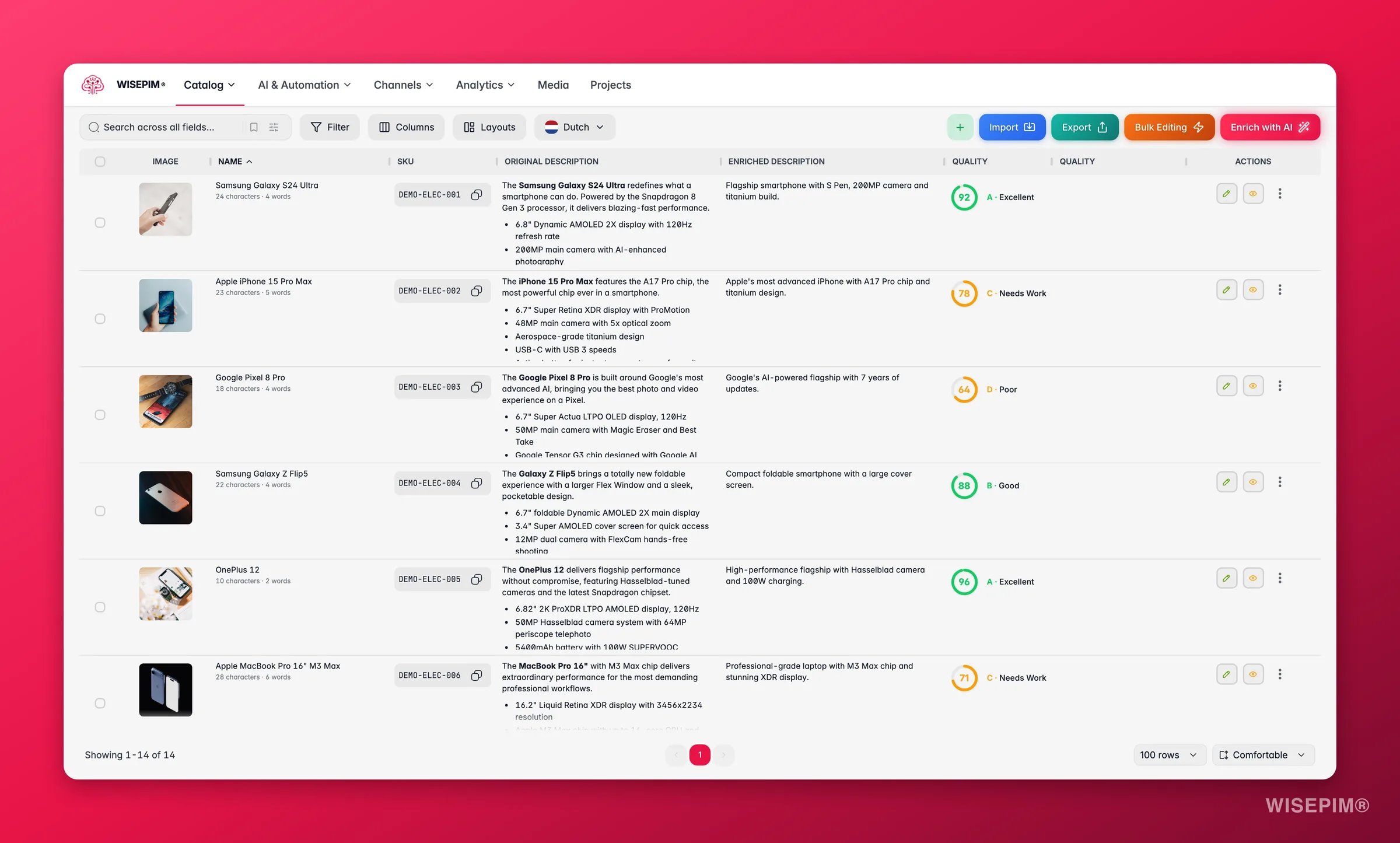
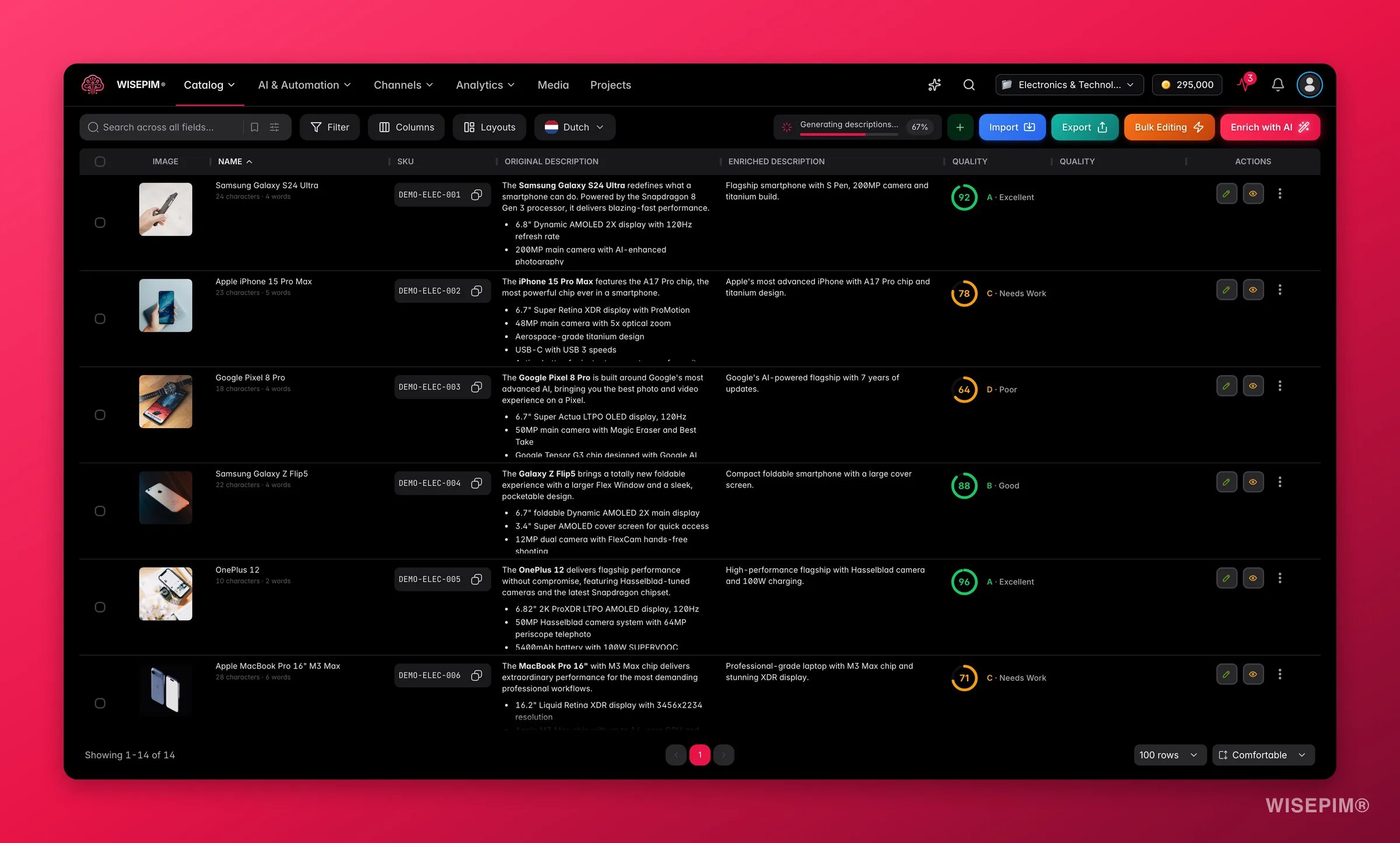
Generate descriptions, titles, SEO content, and attributes that match your brand voice, across your whole catalog in one click.
AI-powered translations that read like a native speaker wrote them. Reach new markets in hours, not months.
Automated rules catch missing fields, bad formatting, and incomplete content before it reaches your customers. Every product, every channel.
Build visual automations that import, enrich, export, and notify on a schedule or when events happen. No manual steps.
## Core capabilities
Pull products from your e-commerce platform, a CSV, or your existing PIM, with smart field mapping.
Edit thousands of products at once. Filter, select, update. Done.
Build reusable AI prompts that match your brand voice. Consistent content across your whole catalog.
Teach WISEPIM about your brand, audience, and products. The more it knows, the better the output.
Build visual workflows that handle repetitive tasks for you, on a schedule, on demand, or when events happen.
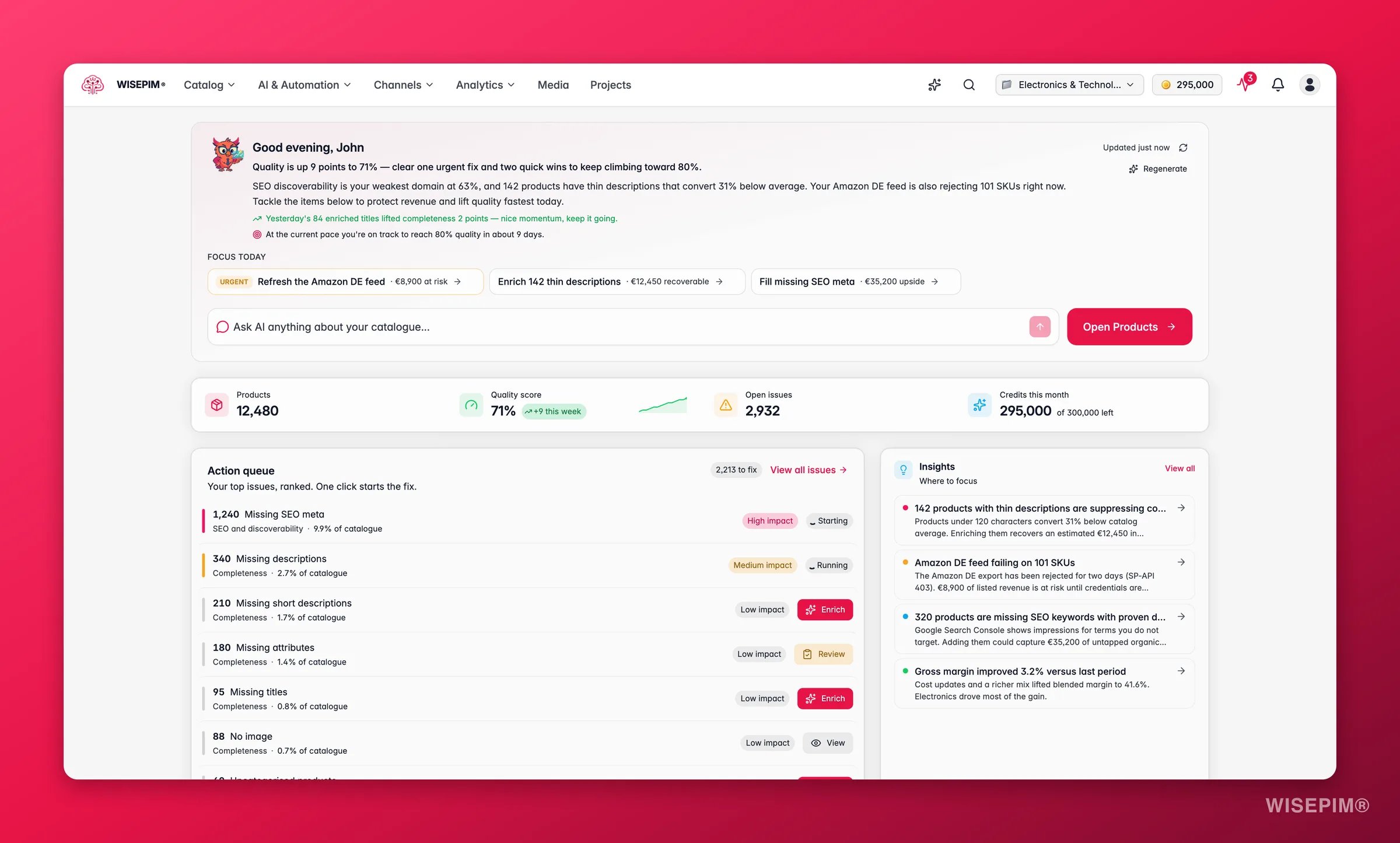
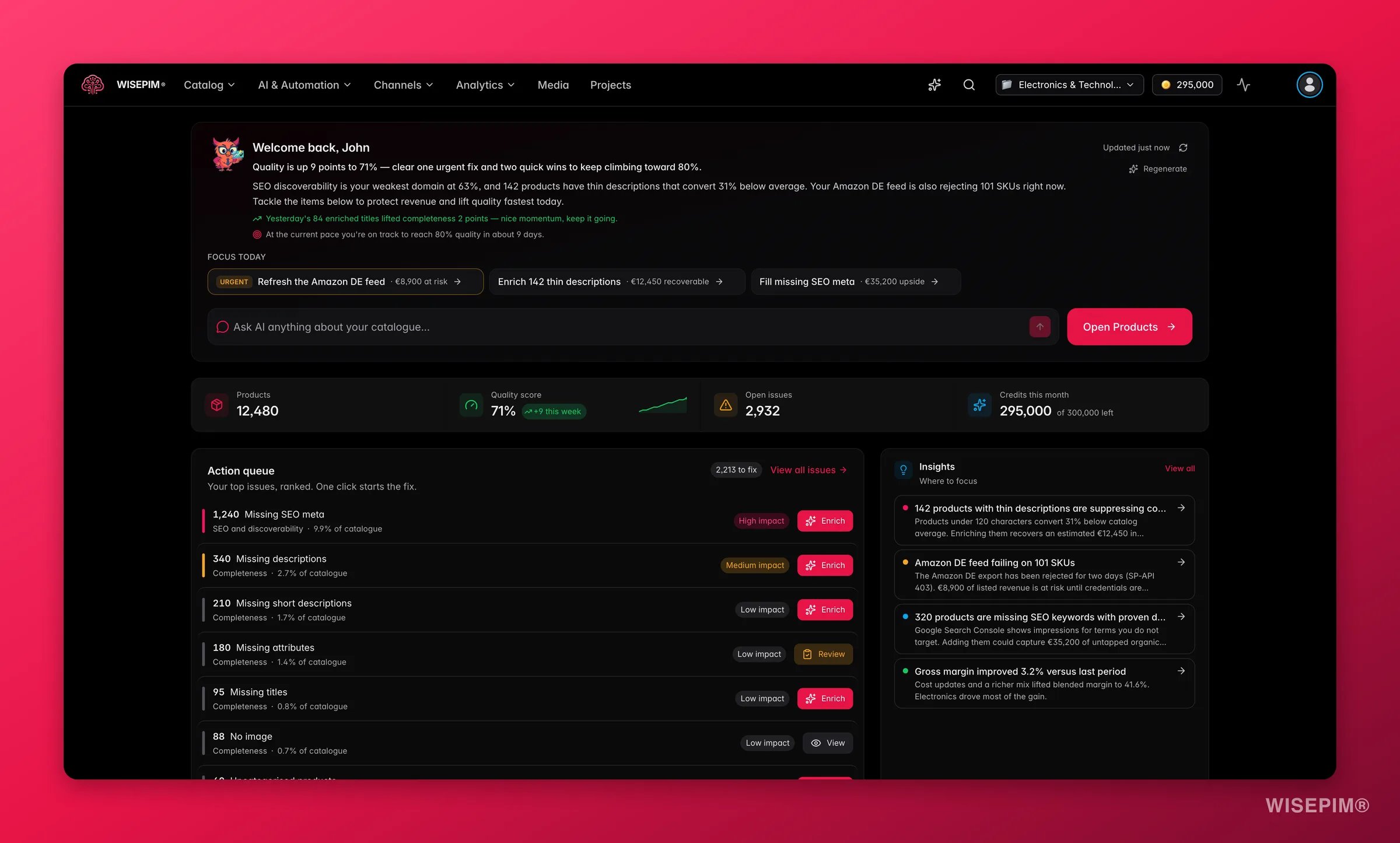
Track the quality, completeness, and channel readiness of your product data across your whole catalog.
All of the AI and automation tools live together under **AI & Automation** in the top navigation, so prompts, the Prompt Lab, your Knowledge Library, AI Chat, automations, and Quality Guard are one click apart.
## Start from a goal
If you would rather work toward an outcome than pick a tool, two hubs turn WISEPIM into a short checklist:
* **[Grow sales](/en/guides/overview)**: get found in search, cover more sales channels, make listings that convert, and protect your margin.
* **[Reduce returns](/en/guides/cut-your-return-rate)**: returns are usually a data problem. Fix the riskiest products first, prevent the next batch, and watch your return rate move.
## Built for teams that care about product content
Whether you manage 100 or 100,000 products, stop spending weekends on product descriptions and focus on strategy instead.
Manage multiple client catalogs from one platform. Deliver consistent, high-quality product content at scale.
## Get started
Go from zero to enriched products in four steps.
Set up your integration with Shopify, Magento, WooCommerce, Lightspeed, or CCV Shop.
## Related
Outcome-first walkthroughs that take you from a real problem to a working result.
Your post-login home: catalog health, a ranked action queue, and live activity.
 Every product page is a conversation with a customer. Your titles, descriptions, images, and specifications decide whether they buy or leave. Yet most e-commerce teams spend their time wrestling with spreadsheets, copy-pasting between platforms, and translating by hand, instead of actually improving the content.
Most PIM systems are built to store and centralize product data. WISEPIM is built to help you **improve** it.
Every product page is a conversation with a customer. Your titles, descriptions, images, and specifications decide whether they buy or leave. Yet most e-commerce teams spend their time wrestling with spreadsheets, copy-pasting between platforms, and translating by hand, instead of actually improving the content.
Most PIM systems are built to store and centralize product data. WISEPIM is built to help you **improve** it.