> ## Documentation Index
> Fetch the complete documentation index at: https://docs.wisepim.com/llms.txt
> Use this file to discover all available pages before exploring further.
# Supported Platforms
> See every platform WISEPIM connects to: Shopify, WooCommerce, Magento, BigCommerce, Shopware, Lightspeed, Akeneo, and more, with setup guides.
WISEPIM connects to the platforms you already use. Import your products from one platform, enrich them with AI, and export them wherever you sell. Pick your platform below to open its setup guide.
## Find an app in the marketplace
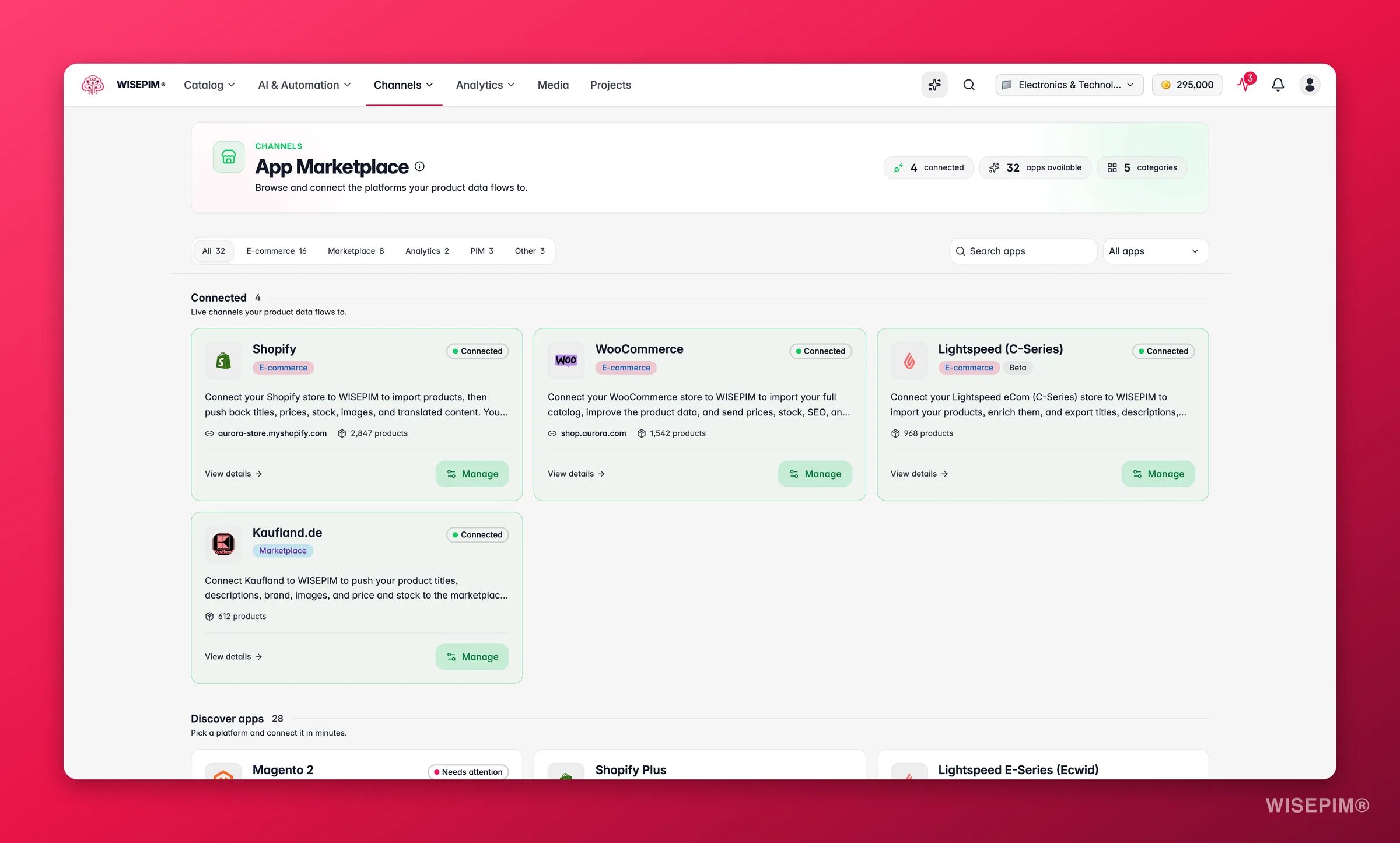
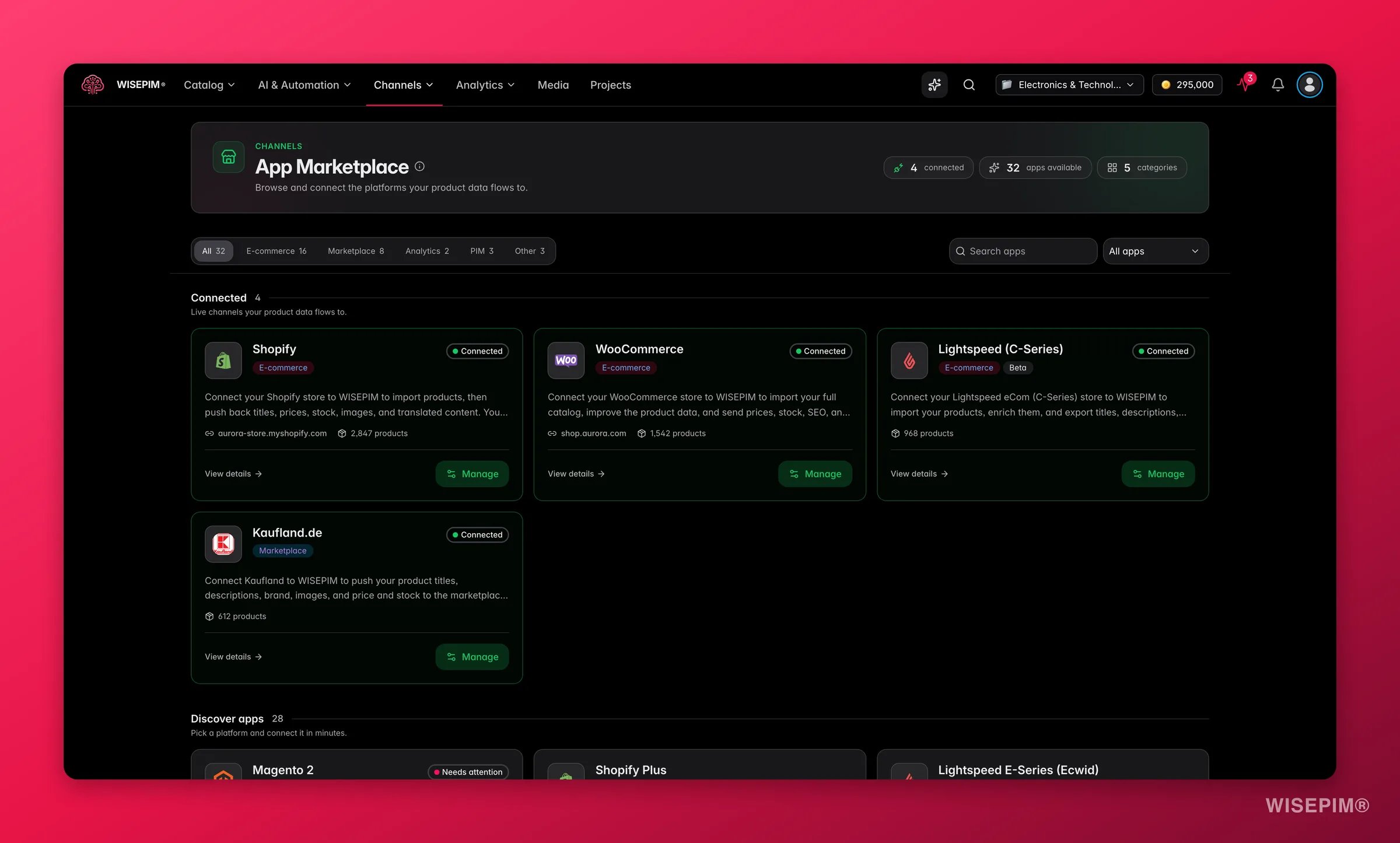 Open **Integrations** to see the app marketplace. Three tools help you get to the right app fast:
* **Search apps** finds a platform by name as you type.
* The **category filter** narrows the list to E-commerce, Marketplace, PIM, Analytics or Other.
* The **connection status filter** shows only the apps in a given state.
The page splits into two parts. **Connected** holds the apps you already set up, so your daily work stays at the top. **Discover apps** holds everything else, waiting to be connected.
Cards tell you where each app stands at a glance: **Connected**, **Needs attention** when a connection needs a look, **Beta**, or **Coming soon**.
## What you find on an app's page
Click any app to open its own page before you commit to setting it up. Each page tells you:
| Section | What it tells you |
| --------------------------------- | ----------------------------------------------------------------------------------------------------------------------------------------- |
| **Setup time** and **Difficulty** | How long the setup takes and whether it is easy, medium or hard |
| **Authentication** | What you need to sign in: OAuth, API credentials, a feed URL, or nothing at all |
| **Capabilities** | Whether the app can import products, export products, read order data, sync multiple languages, and create products that do not exist yet |
| **Connected stores** | Your existing connections, so you can edit credentials or test them again |
| **Good to know** | The quirks of that platform, each with a line on how WISEPIM handles it for you |
| **FAQ** | The questions people ask most about that platform |
Read **Good to know** before you start. It is the fastest way to learn what a platform cannot do, so nothing surprises you halfway through setup.
## Map your fields
Open **Integrations** to see the app marketplace. Three tools help you get to the right app fast:
* **Search apps** finds a platform by name as you type.
* The **category filter** narrows the list to E-commerce, Marketplace, PIM, Analytics or Other.
* The **connection status filter** shows only the apps in a given state.
The page splits into two parts. **Connected** holds the apps you already set up, so your daily work stays at the top. **Discover apps** holds everything else, waiting to be connected.
Cards tell you where each app stands at a glance: **Connected**, **Needs attention** when a connection needs a look, **Beta**, or **Coming soon**.
## What you find on an app's page
Click any app to open its own page before you commit to setting it up. Each page tells you:
| Section | What it tells you |
| --------------------------------- | ----------------------------------------------------------------------------------------------------------------------------------------- |
| **Setup time** and **Difficulty** | How long the setup takes and whether it is easy, medium or hard |
| **Authentication** | What you need to sign in: OAuth, API credentials, a feed URL, or nothing at all |
| **Capabilities** | Whether the app can import products, export products, read order data, sync multiple languages, and create products that do not exist yet |
| **Connected stores** | Your existing connections, so you can edit credentials or test them again |
| **Good to know** | The quirks of that platform, each with a line on how WISEPIM handles it for you |
| **FAQ** | The questions people ask most about that platform |
Read **Good to know** before you start. It is the fastest way to learn what a platform cannot do, so nothing surprises you halfway through setup.
## Map your fields
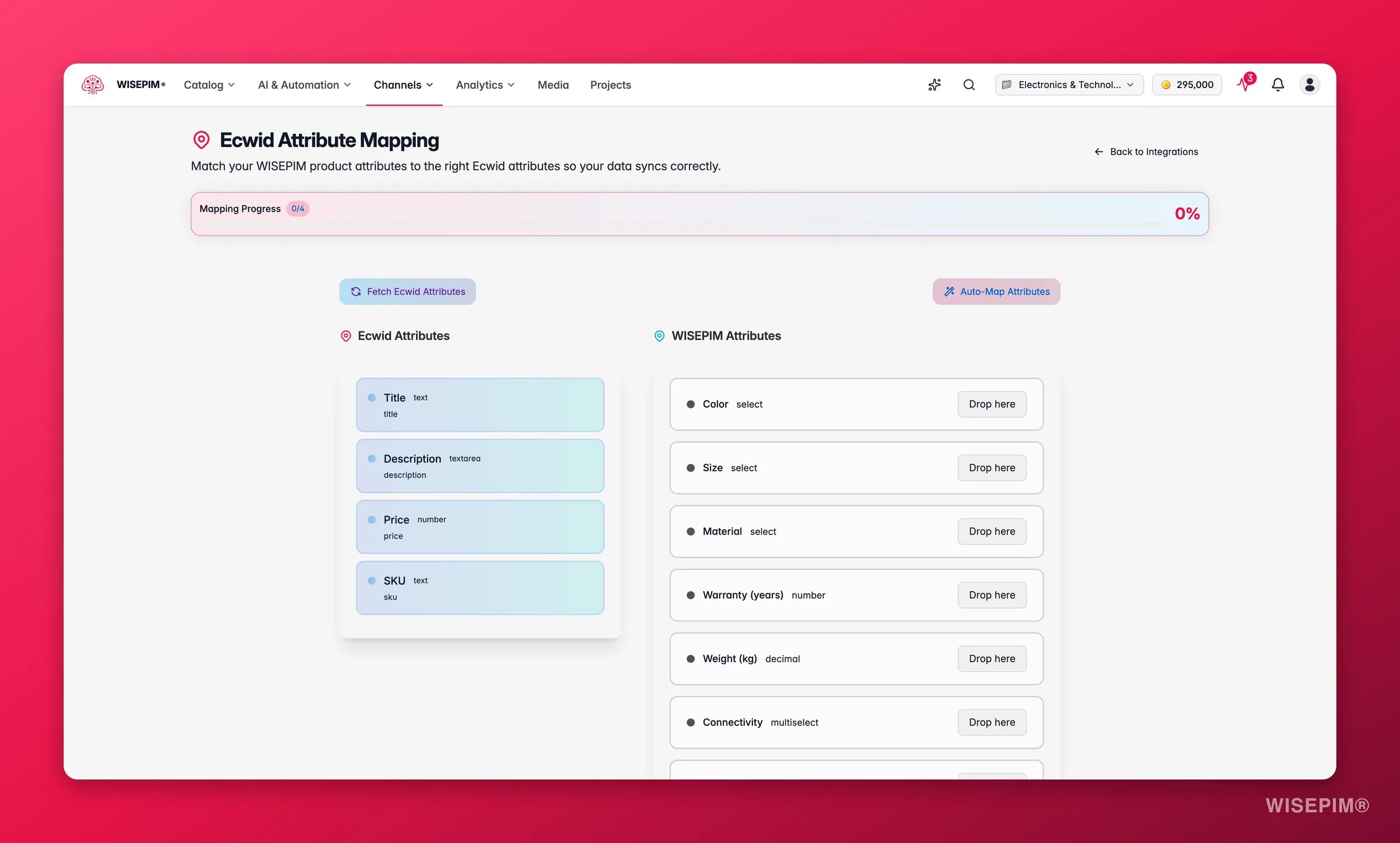
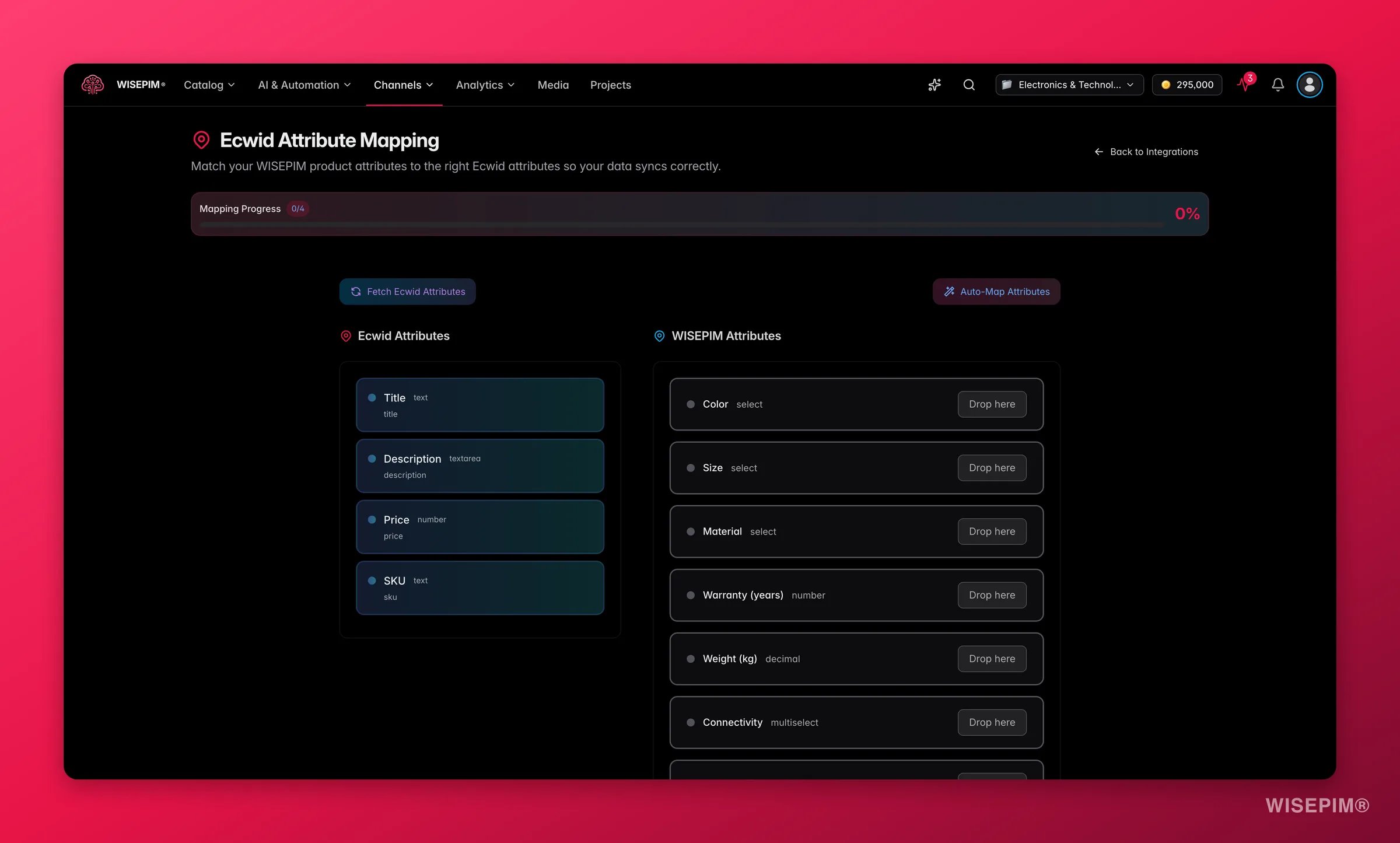 Every platform names its fields a little differently. The **Attribute Mapper** on a connection lines the platform's fields up with your WISEPIM attributes, so data lands where you expect it in both directions. Open it from the app's tile or its detail page, match the fields, and save.
## Choose your platform
### E-commerce platforms
Connect your Shopify store through the API and enrich your product data.
Connect your open-source WooCommerce store and enrich your product data.
Import products from Magento 2 Open Source or Enterprise and enrich them with AI.
Connect your BigCommerce store with a store-level API token.
Connect your PrestaShop store with a webservice key.
Connect your Shopware 6 store through the Admin API.
Connect your Squarespace Commerce store with an API key.
Connect your Lightspeed eCom store and enrich your product data in minutes.
Connect your Ecwid / Lightspeed E-Series store and enrich your catalog.
Connect your CCV Shop store and enrich your product data.
Connect your open-source Medusa headless commerce store.
Connect your Symfony-based Sylius store through the Admin API.
Connect your Django Oscar store through its product API.
Publish enriched content to your WordPress site with an Application Password.
Sync your catalog both ways with your Akeneo PIM.
### Marketplaces
Export your enriched products to the Kaufland marketplace.
Export your products to any marketplace that runs on Mirakl.
### Suppliers, warehouse & data
Import products and live stock levels from your Picqer warehouse.
Import TechData's product, price and stock data over FTP.
Pull in dropshipment content from your suppliers, then enrich it as your own.
Import product data straight from your Databricks tables.
WISEPIM works across platforms. Import products from one platform and export them to another, all in the same workspace.
## Don't see your platform?
We add new platforms all the time. If yours isn't listed yet, use the **Request an integration** card at the bottom of the marketplace. Fill in the platform name, its website if you have it, and what you would want to sync. Click **Send request** and it comes straight to us.
Prefer to talk it through, or have special requirements? [Get in touch](https://swiftsync.ai/contact) and we'll discuss the options.
## Related
Connect your credentials and manage active integrations.
Build channel-specific feeds on top of your connected platforms.
Push products to a connected platform in a few clicks.
Go from a fresh connection to an approved channel without a rejection queue.
Every platform names its fields a little differently. The **Attribute Mapper** on a connection lines the platform's fields up with your WISEPIM attributes, so data lands where you expect it in both directions. Open it from the app's tile or its detail page, match the fields, and save.
## Choose your platform
### E-commerce platforms
Connect your Shopify store through the API and enrich your product data.
Connect your open-source WooCommerce store and enrich your product data.
Import products from Magento 2 Open Source or Enterprise and enrich them with AI.
Connect your BigCommerce store with a store-level API token.
Connect your PrestaShop store with a webservice key.
Connect your Shopware 6 store through the Admin API.
Connect your Squarespace Commerce store with an API key.
Connect your Lightspeed eCom store and enrich your product data in minutes.
Connect your Ecwid / Lightspeed E-Series store and enrich your catalog.
Connect your CCV Shop store and enrich your product data.
Connect your open-source Medusa headless commerce store.
Connect your Symfony-based Sylius store through the Admin API.
Connect your Django Oscar store through its product API.
Publish enriched content to your WordPress site with an Application Password.
Sync your catalog both ways with your Akeneo PIM.
### Marketplaces
Export your enriched products to the Kaufland marketplace.
Export your products to any marketplace that runs on Mirakl.
### Suppliers, warehouse & data
Import products and live stock levels from your Picqer warehouse.
Import TechData's product, price and stock data over FTP.
Pull in dropshipment content from your suppliers, then enrich it as your own.
Import product data straight from your Databricks tables.
WISEPIM works across platforms. Import products from one platform and export them to another, all in the same workspace.
## Don't see your platform?
We add new platforms all the time. If yours isn't listed yet, use the **Request an integration** card at the bottom of the marketplace. Fill in the platform name, its website if you have it, and what you would want to sync. Click **Send request** and it comes straight to us.
Prefer to talk it through, or have special requirements? [Get in touch](https://swiftsync.ai/contact) and we'll discuss the options.
## Related
Connect your credentials and manage active integrations.
Build channel-specific feeds on top of your connected platforms.
Push products to a connected platform in a few clicks.
Go from a fresh connection to an approved channel without a rejection queue.