> ## Documentation Index
> Fetch the complete documentation index at: https://docs.wisepim.com/llms.txt
> Use this file to discover all available pages before exploring further.
# Action nodes
> Action nodes do the real work in an automation: import, export, enrich with AI, bulk edit, call APIs, and send notifications in multi-step workflows.
Action nodes do the real work in your automation. They import data, export it to channels, enrich it with AI, and more. Chain several actions together to build a multi-step workflow.
Add and configure action nodes in the [visual builder](/en/automations/builder). Click a node to open its settings. A green checkmark means the node is ready. An amber icon means it still needs setup.
## Choose an action
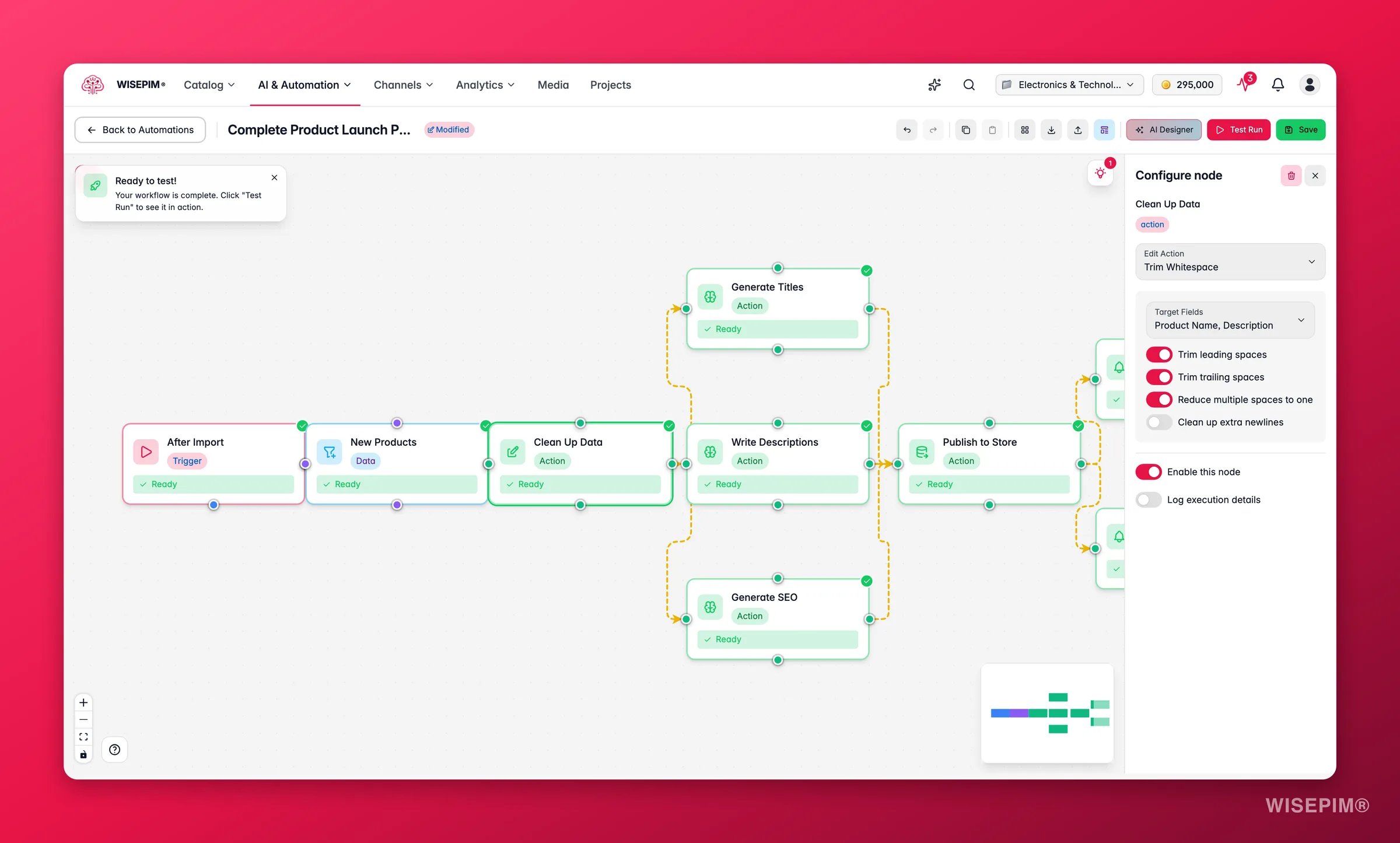
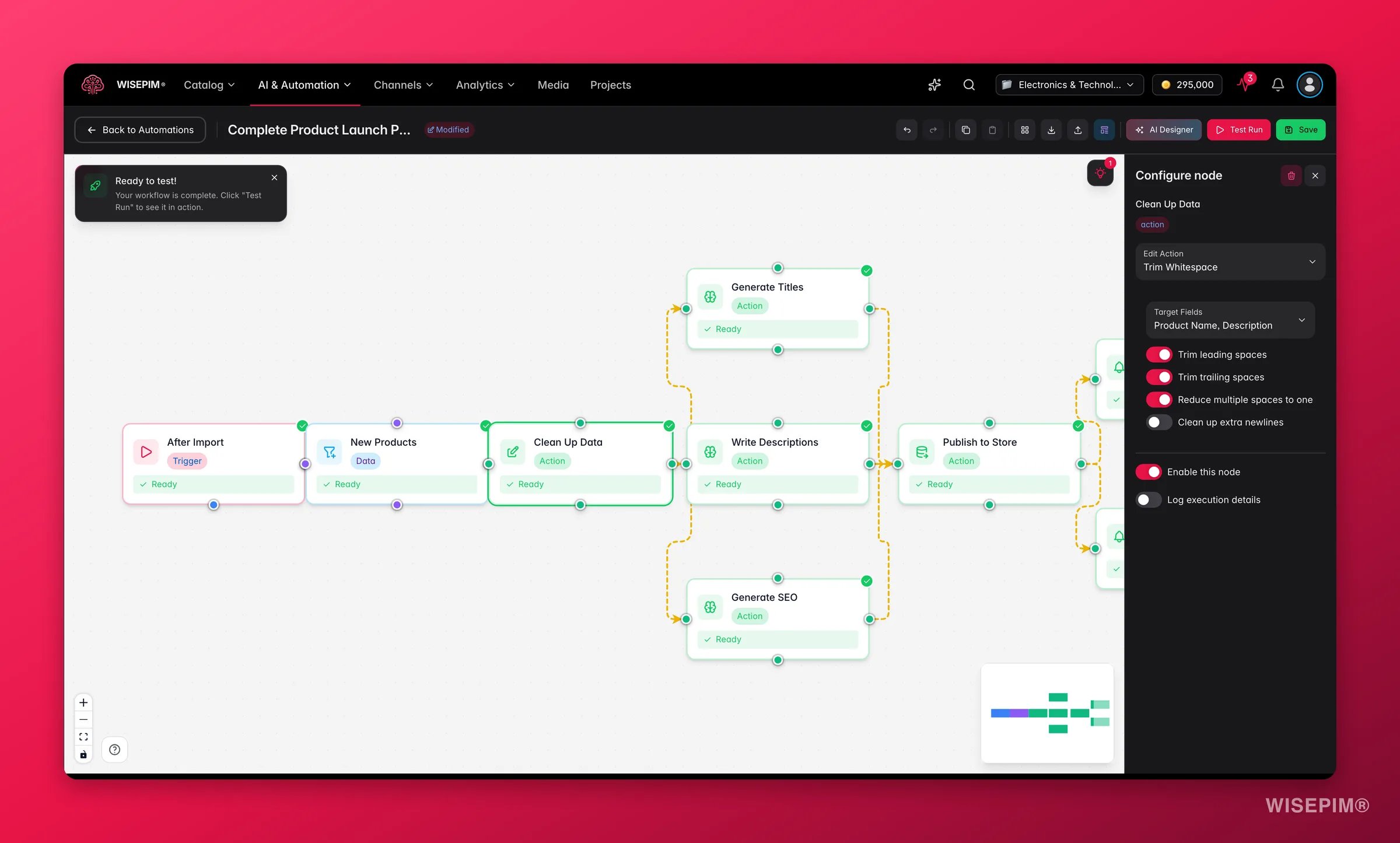 Each action node does one job. Pick the one that matches your goal.
| Action | Use it to |
| --------------------- | -------------------------------------------------------------- |
| **Import products** | Pull product data into WISEPIM from another platform or a file |
| **Export products** | Push product data out to a channel or file |
| **AI enrichment** | Generate or improve product content with AI |
| **Bulk edit** | Change many products at once |
| **API request** | Send data to or from another system over HTTP |
| **Send notification** | Alert your team when something happens |
## Import products
Pull product data into WISEPIM from an external source.
| Setting | What it does |
| ------------------ | ----------------------------------------------------- |
| **Source** | The platform or file format to import from |
| **Create missing** | Create new products for items not yet in your catalog |
Supported sources: Shopify, WooCommerce, Magento, Lightspeed, Kaufland, CSV file, and WebShopImporter.
### Picqer
The **Picqer** node brings products and live stock in from Picqer. It can also push stock to other projects you own, so one Picqer connection keeps several catalogs in sync.
| Setting | What it does |
| ------------------------------- | -------------------------------------------------------- |
| **Also sync to these projects** | Other projects that should receive the same stock levels |
Cross-project syncing matches products by SKU and only copies stock quantity, stock status, and the manage-stock flag. Nothing else is touched, so each project keeps its own content and prices. See [Picqer](/en/integrations/picqer) for the connection itself.
## Export products
Each action node does one job. Pick the one that matches your goal.
| Action | Use it to |
| --------------------- | -------------------------------------------------------------- |
| **Import products** | Pull product data into WISEPIM from another platform or a file |
| **Export products** | Push product data out to a channel or file |
| **AI enrichment** | Generate or improve product content with AI |
| **Bulk edit** | Change many products at once |
| **API request** | Send data to or from another system over HTTP |
| **Send notification** | Alert your team when something happens |
## Import products
Pull product data into WISEPIM from an external source.
| Setting | What it does |
| ------------------ | ----------------------------------------------------- |
| **Source** | The platform or file format to import from |
| **Create missing** | Create new products for items not yet in your catalog |
Supported sources: Shopify, WooCommerce, Magento, Lightspeed, Kaufland, CSV file, and WebShopImporter.
### Picqer
The **Picqer** node brings products and live stock in from Picqer. It can also push stock to other projects you own, so one Picqer connection keeps several catalogs in sync.
| Setting | What it does |
| ------------------------------- | -------------------------------------------------------- |
| **Also sync to these projects** | Other projects that should receive the same stock levels |
Cross-project syncing matches products by SKU and only copies stock quantity, stock status, and the manage-stock flag. Nothing else is touched, so each project keeps its own content and prices. See [Picqer](/en/integrations/picqer) for the connection itself.
## Export products
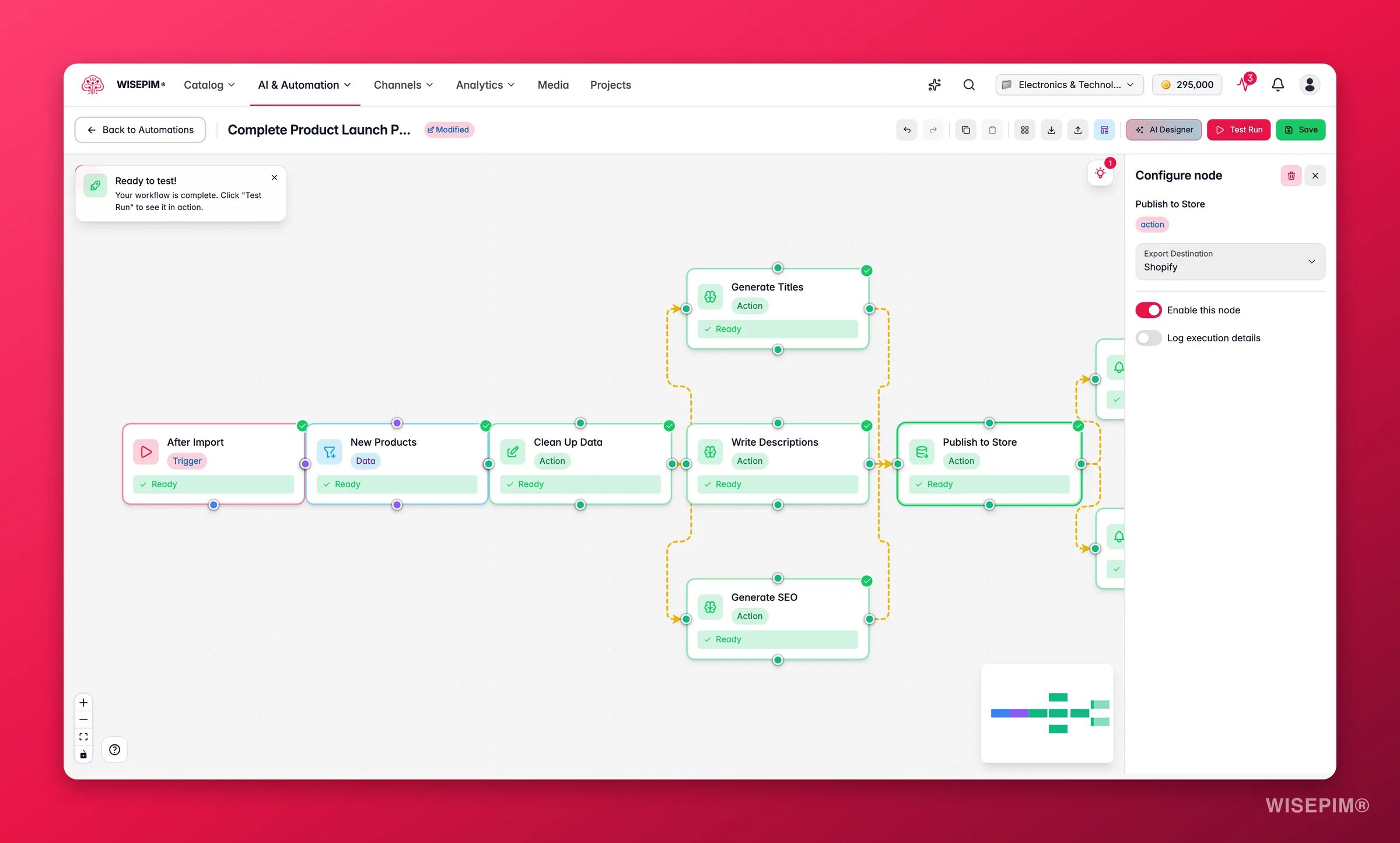
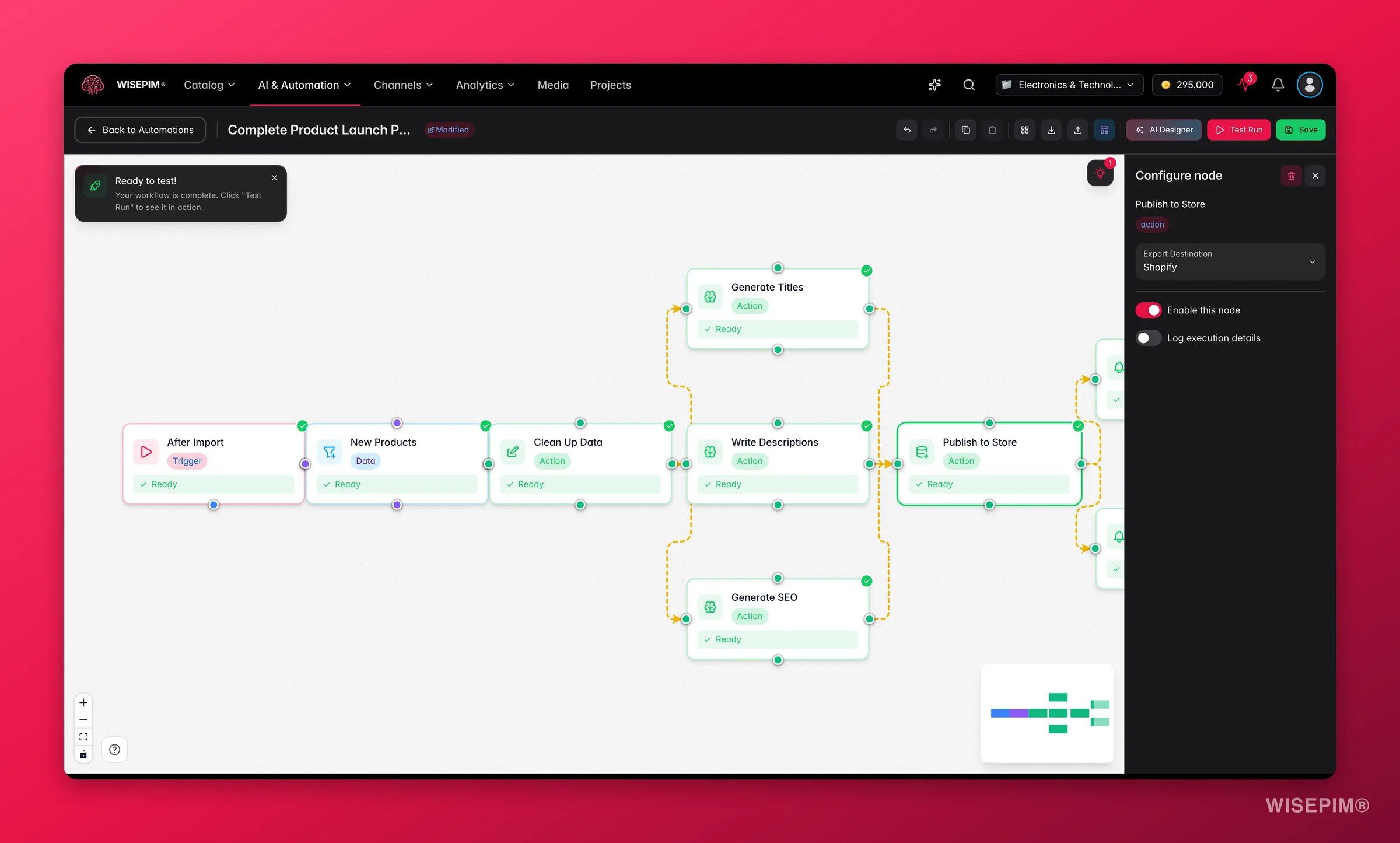 Push product data to a destination channel or file.
| Setting | What it does |
| --------------- | ---------------------------------------- |
| **Destination** | The platform or file format to export to |
| **Format** | For file exports: Excel or CSV |
Supported destinations: Shopify, WooCommerce, Magento, Lightspeed, Kaufland, and Excel or CSV file.
If you use [Pricing & Margins](/en/settings/pricing) rules, the prices in an export can differ from the prices stored in WISEPIM. The rules apply at export time only. Your stored prices never change.
## AI enrichment
Generate or improve product content with AI. This action runs a prompt from your [Prompt Library](/en/essentials/prompt-library).
| Setting | What it does |
| -------------------- | ---------------------------------------------------------------- |
| **Enrichment type** | The AI task to run (see the table below) |
| **Prompt** | Which prompt from your Prompt Library to use |
| **Fields** | For Bulk Enrich, which fields to rewrite |
| **Max categories** | For AI categorization, the most categories a product may receive |
| **Target languages** | For translations, the languages to translate into |
Pick an enrichment type to tell the AI what to produce:
| Type | What it does |
| --------------------- | ---------------------------------------------------------------------------------------------------------------------- |
| **Auto-Fill** | Fill in every field that is still empty or weak, in one pass |
| **Bulk Enrich** | Rewrite the fields you pick (description, short description, titles, SEO meta, attributes) and overwrite what is there |
| **AI categorization** | Assign products to categories automatically, up to the maximum you set |
| **Web research** | Look up the product on the web and fill in facts, identifiers, and specs |
| **Translation** | Translate product content into your target languages |
Every enrichment run costs AI credits, so the node checks your credit balance before it starts. If the balance is too low, the run does not begin and nothing is charged. Standard enrichment costs 1 credit per product per field. Web research costs 5 credits per product. **Fast** translation costs 1 credit per product per language and **Pro** translation costs 5.
Use **Auto-Fill** in an after-import automation to fill the gaps a supplier feed leaves behind. Use **Bulk Enrich** when you want to replace existing content on purpose, for example after changing your tone of voice.
## Bulk edit
Change many products at once. Bulk edit supports more than 25 operations, grouped by what they affect.
| Operation | What it does |
| -------------------- | --------------------------------------------------- |
| **Find and replace** | Search for text in a field and replace it |
| **Standardize case** | Convert text to title case, uppercase, or lowercase |
| **Trim whitespace** | Remove extra spaces from text fields |
| **Append text** | Add text to the end of a field |
| **Prepend text** | Add text to the start of a field |
| **Clear field** | Remove all content from a field |
| Operation | What it does |
| -------------------------- | ------------------------------------------ |
| **Assign to categories** | Add products to one or more categories |
| **Remove from categories** | Take products out of specific categories |
| **Replace categories** | Swap all category assignments for new ones |
| Operation | What it does |
| ---------------------- | -------------------------------------------------------- |
| **Change price** | Raise or lower prices by a fixed amount or percentage |
| **Special price** | Set sale prices, with optional date ranges |
| **Cost margins** | Calculate selling prices from cost prices using a markup |
| **Numeric operations** | Run math operations on numeric fields |
| Operation | What it does |
| ----------------- | ---------------------------------------------- |
| **Change status** | Set product status (Draft, Ready, Archived) |
| **Update stock** | Set, add to, or subtract from stock quantities |
| **Stock status** | Mark products as in stock or out of stock |
| Operation | What it does |
| ------------------ | -------------------------------- |
| **Update weight** | Set product shipping weights |
| **Set dimensions** | Update length, width, and height |
| Operation | What it does |
| ----------------- | ---------------------------------------------- |
| **Set attribute** | Set a specific attribute value across products |
## API request
Push product data to a destination channel or file.
| Setting | What it does |
| --------------- | ---------------------------------------- |
| **Destination** | The platform or file format to export to |
| **Format** | For file exports: Excel or CSV |
Supported destinations: Shopify, WooCommerce, Magento, Lightspeed, Kaufland, and Excel or CSV file.
If you use [Pricing & Margins](/en/settings/pricing) rules, the prices in an export can differ from the prices stored in WISEPIM. The rules apply at export time only. Your stored prices never change.
## AI enrichment
Generate or improve product content with AI. This action runs a prompt from your [Prompt Library](/en/essentials/prompt-library).
| Setting | What it does |
| -------------------- | ---------------------------------------------------------------- |
| **Enrichment type** | The AI task to run (see the table below) |
| **Prompt** | Which prompt from your Prompt Library to use |
| **Fields** | For Bulk Enrich, which fields to rewrite |
| **Max categories** | For AI categorization, the most categories a product may receive |
| **Target languages** | For translations, the languages to translate into |
Pick an enrichment type to tell the AI what to produce:
| Type | What it does |
| --------------------- | ---------------------------------------------------------------------------------------------------------------------- |
| **Auto-Fill** | Fill in every field that is still empty or weak, in one pass |
| **Bulk Enrich** | Rewrite the fields you pick (description, short description, titles, SEO meta, attributes) and overwrite what is there |
| **AI categorization** | Assign products to categories automatically, up to the maximum you set |
| **Web research** | Look up the product on the web and fill in facts, identifiers, and specs |
| **Translation** | Translate product content into your target languages |
Every enrichment run costs AI credits, so the node checks your credit balance before it starts. If the balance is too low, the run does not begin and nothing is charged. Standard enrichment costs 1 credit per product per field. Web research costs 5 credits per product. **Fast** translation costs 1 credit per product per language and **Pro** translation costs 5.
Use **Auto-Fill** in an after-import automation to fill the gaps a supplier feed leaves behind. Use **Bulk Enrich** when you want to replace existing content on purpose, for example after changing your tone of voice.
## Bulk edit
Change many products at once. Bulk edit supports more than 25 operations, grouped by what they affect.
| Operation | What it does |
| -------------------- | --------------------------------------------------- |
| **Find and replace** | Search for text in a field and replace it |
| **Standardize case** | Convert text to title case, uppercase, or lowercase |
| **Trim whitespace** | Remove extra spaces from text fields |
| **Append text** | Add text to the end of a field |
| **Prepend text** | Add text to the start of a field |
| **Clear field** | Remove all content from a field |
| Operation | What it does |
| -------------------------- | ------------------------------------------ |
| **Assign to categories** | Add products to one or more categories |
| **Remove from categories** | Take products out of specific categories |
| **Replace categories** | Swap all category assignments for new ones |
| Operation | What it does |
| ---------------------- | -------------------------------------------------------- |
| **Change price** | Raise or lower prices by a fixed amount or percentage |
| **Special price** | Set sale prices, with optional date ranges |
| **Cost margins** | Calculate selling prices from cost prices using a markup |
| **Numeric operations** | Run math operations on numeric fields |
| Operation | What it does |
| ----------------- | ---------------------------------------------- |
| **Change status** | Set product status (Draft, Ready, Archived) |
| **Update stock** | Set, add to, or subtract from stock quantities |
| **Stock status** | Mark products as in stock or out of stock |
| Operation | What it does |
| ------------------ | -------------------------------- |
| **Update weight** | Set product shipping weights |
| **Set dimensions** | Update length, width, and height |
| Operation | What it does |
| ----------------- | ---------------------------------------------- |
| **Set attribute** | Set a specific attribute value across products |
## API request
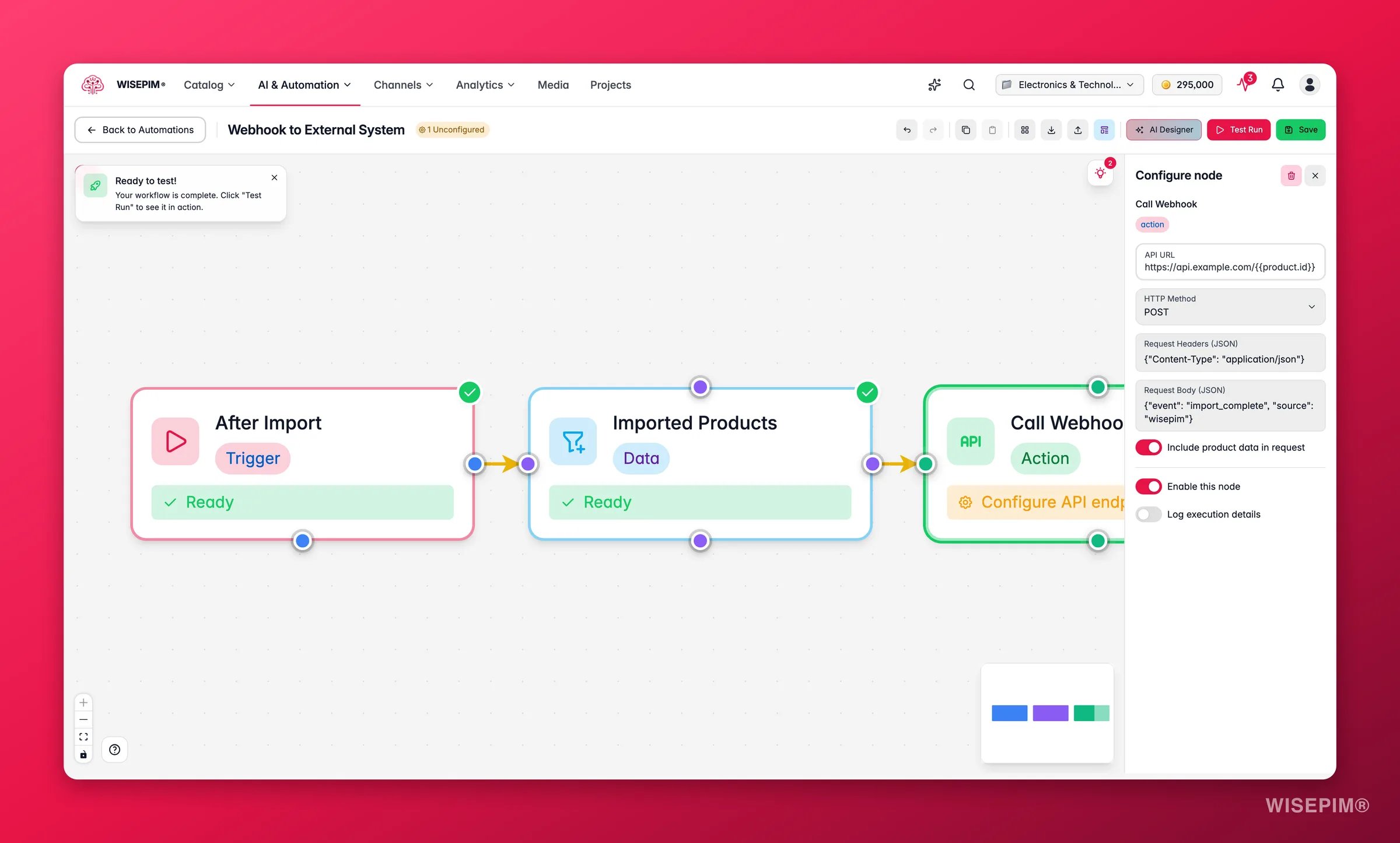
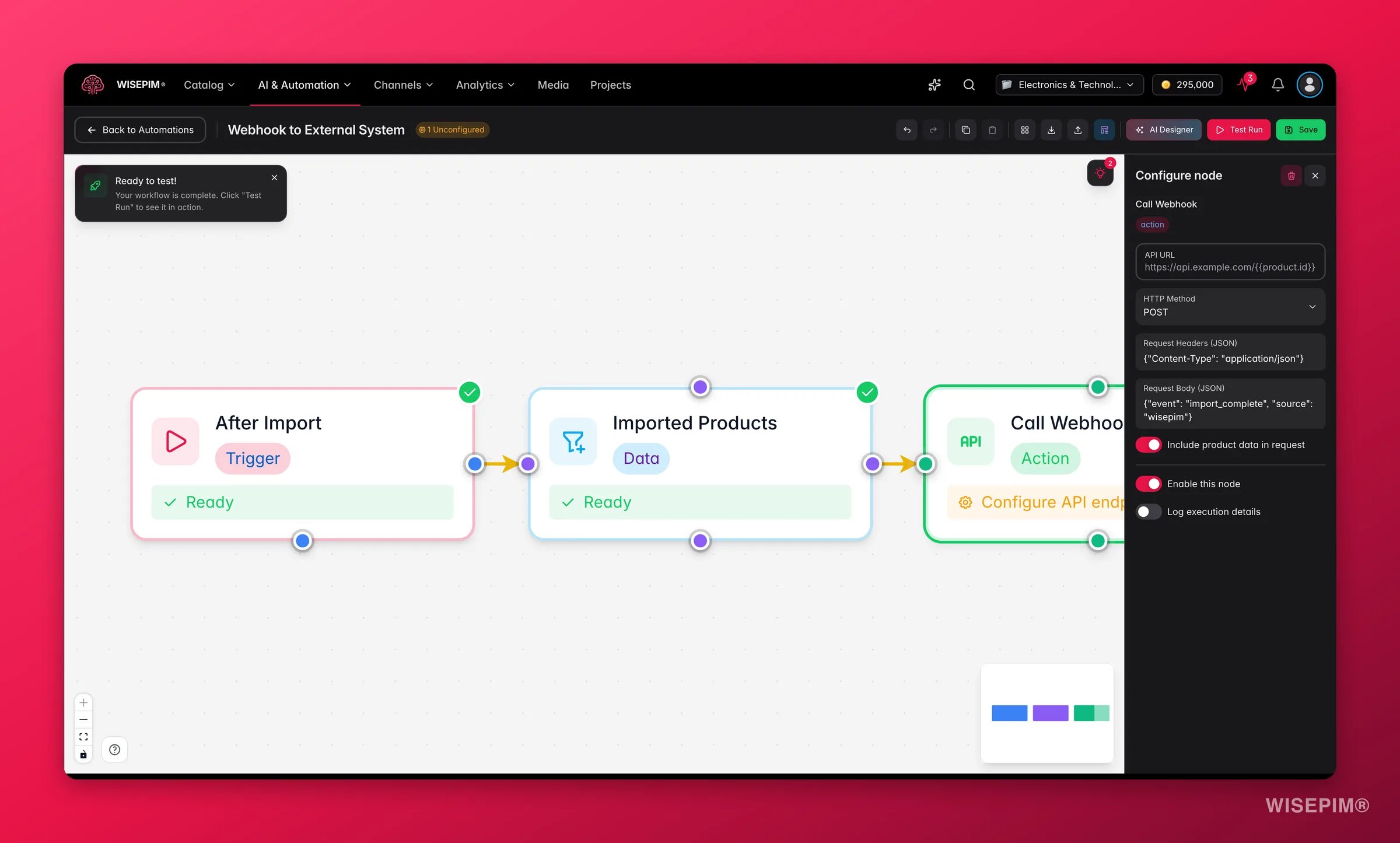 Send HTTP requests to external systems like your ERP, warehouse management, or CRM.
| Setting | What it does |
| ------------------------ | -------------------------------------------------------- |
| **URL** | The endpoint to call |
| **Method** | GET, POST, PUT, PATCH, or DELETE |
| **Headers** | Custom HTTP headers (for example, authentication tokens) |
| **Body** | Request payload in JSON format |
| **Include product data** | Send product information in the request body |
## Send notification
Send HTTP requests to external systems like your ERP, warehouse management, or CRM.
| Setting | What it does |
| ------------------------ | -------------------------------------------------------- |
| **URL** | The endpoint to call |
| **Method** | GET, POST, PUT, PATCH, or DELETE |
| **Headers** | Custom HTTP headers (for example, authentication tokens) |
| **Body** | Request payload in JSON format |
| **Include product data** | Send product information in the request body |
## Send notification
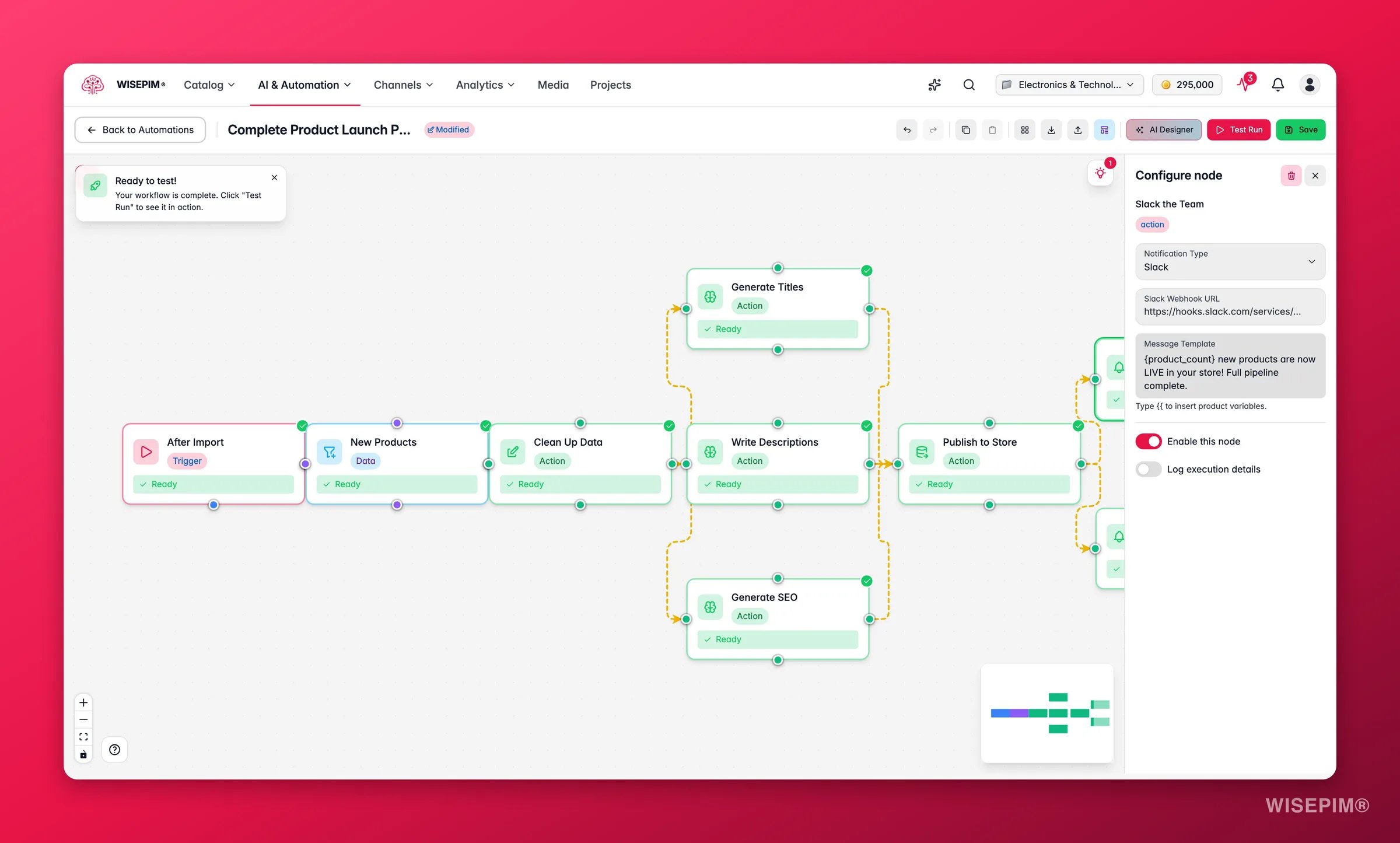
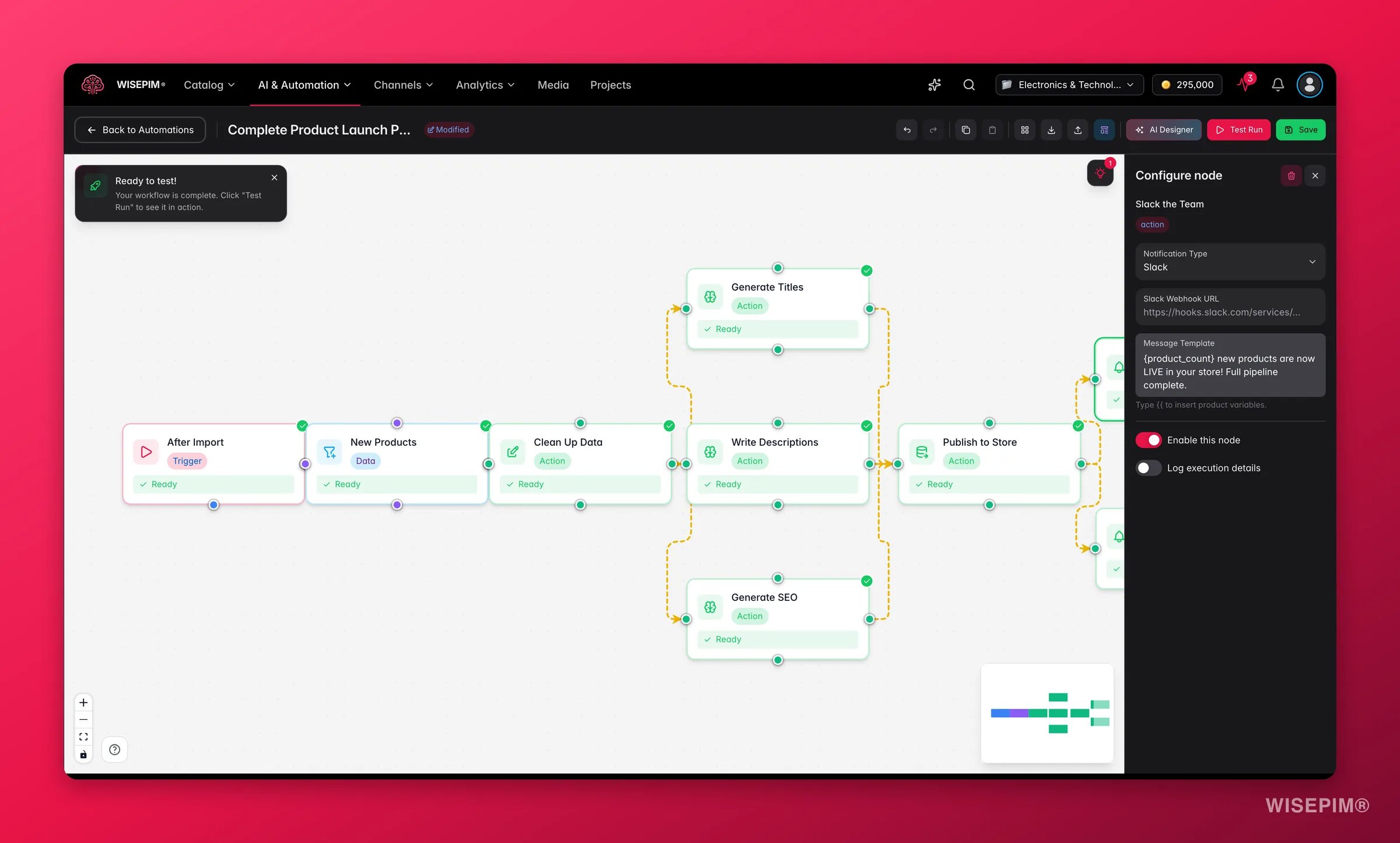 Alert your team about workflow events or results.
| Setting | What it does |
| -------------------- | --------------------------------------------------------------------------------------------------- |
| **Type** | Email, Slack, webhook, or SMS |
| **Recipients** | Who receives the notification |
| **Message template** | The message text. Supports variables like `{product_count}`, `{automation_name}`, and `{timestamp}` |
## Related
Control which products flow through your workflow.
Add conditional branching and flow control to your automations.
Drag, connect, and configure nodes on the canvas.
Decide what starts your automation and when it runs.
Alert your team about workflow events or results.
| Setting | What it does |
| -------------------- | --------------------------------------------------------------------------------------------------- |
| **Type** | Email, Slack, webhook, or SMS |
| **Recipients** | Who receives the notification |
| **Message template** | The message text. Supports variables like `{product_count}`, `{automation_name}`, and `{timestamp}` |
## Related
Control which products flow through your workflow.
Add conditional branching and flow control to your automations.
Drag, connect, and configure nodes on the canvas.
Decide what starts your automation and when it runs.